Log Management
In Log Management, you can check the list of members who have logged into the Kuroco administration screen and their login counts.
How to Check Log Management
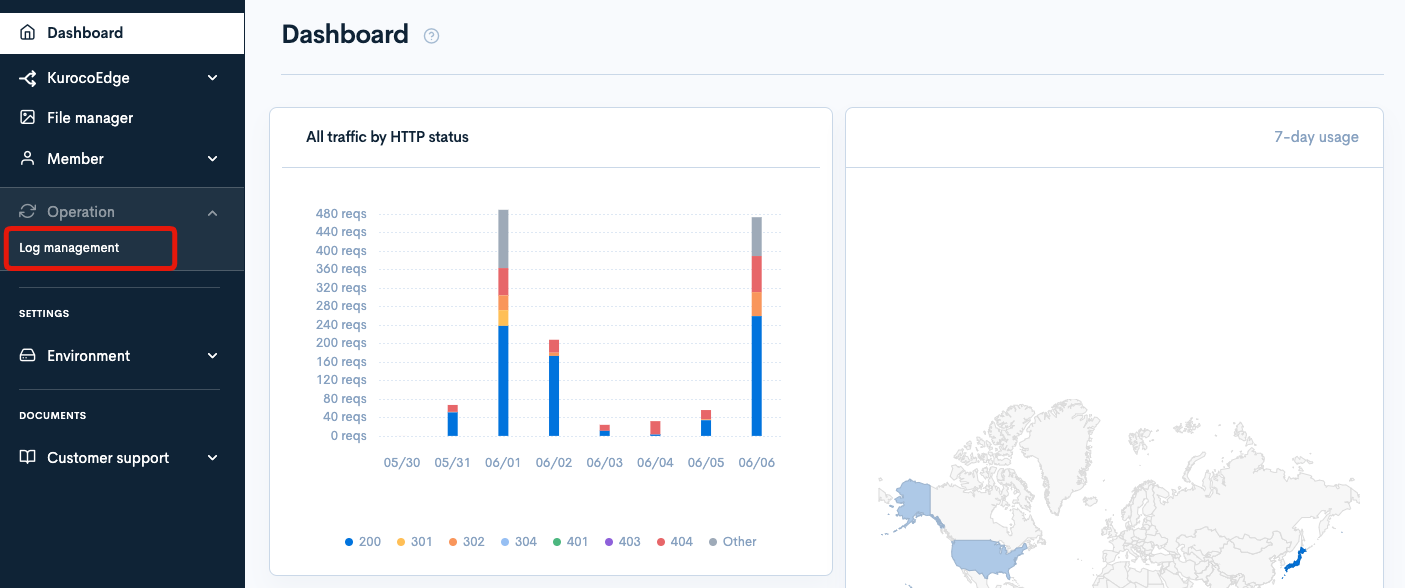
Click [Operation] -> [Log Management].
Field description
Filtering Conditions
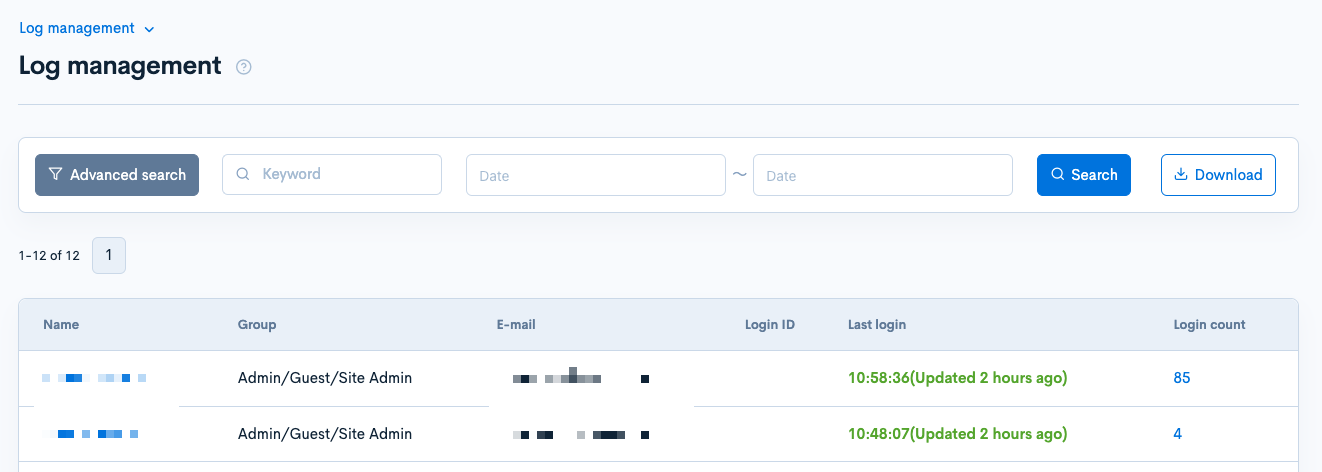
Log Management provides keyword-based and date-based filtering, as well as advanced search.
Filtering by Keyword

Enter the search keyword in the [Keyword] text box to filter logs containing the keyword.
Filtering by Date

Select the start and end dates for the log timeframe. This filters logs within the selected period.
Log List Items
The displayed data items are as follows:
| Item | Description |
|---|---|
| Name | Displays the name of the member who logged in. |
| Group | Displays the group to which the member belongs. |
| Displays the email address of the member. | |
| Login ID | Displays the login ID of the member. |
| Last Login | Displays the date and time of the member's last login. |
| Login count | Displays the number of times the member logged in within the specified period. |
Downloading Log List
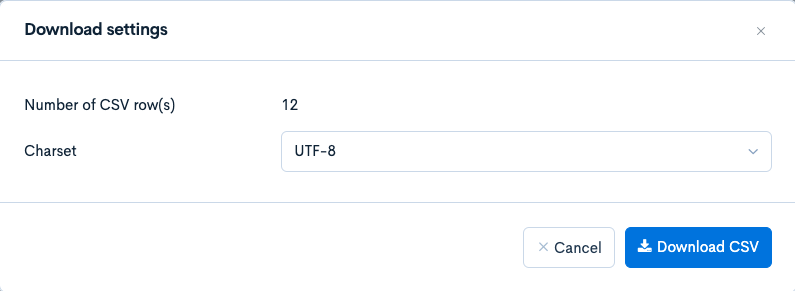
Click the [Download] button to open the download settings.

| Item | Description |
|---|---|
| Number of CSV Row(s) | Displays the number of data entries to be downloaded. |
| Charset | Specifies the charset for the download. |
| Cancel | Closes the modal. |
Support
If you have any other questions, please contact us or check out Our Discord Community.