Admin panel
On the Admin panel, you can modify settings related to the management interface, including access restrictions and session expiration.
How to Access the Admin panel
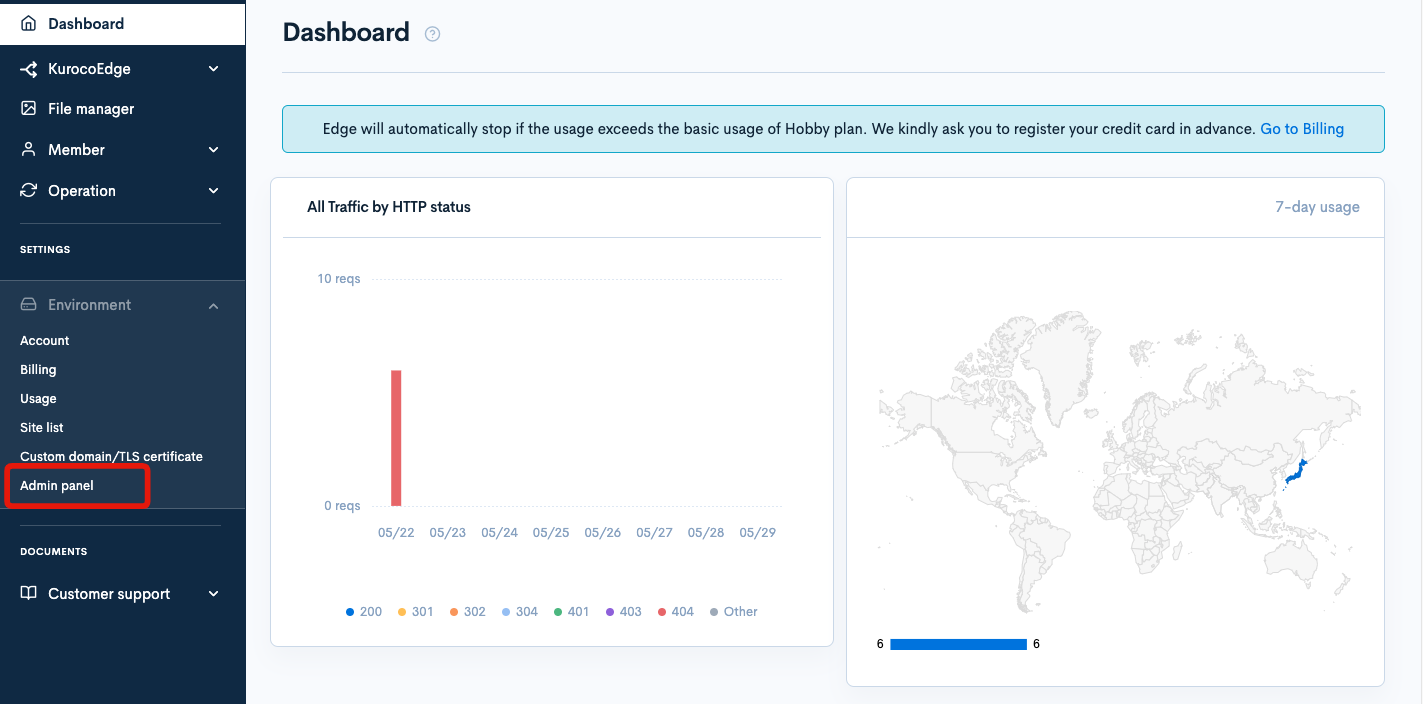
Click on [Environment] -> [Admin panel] in the side menu.
Item Descriptions
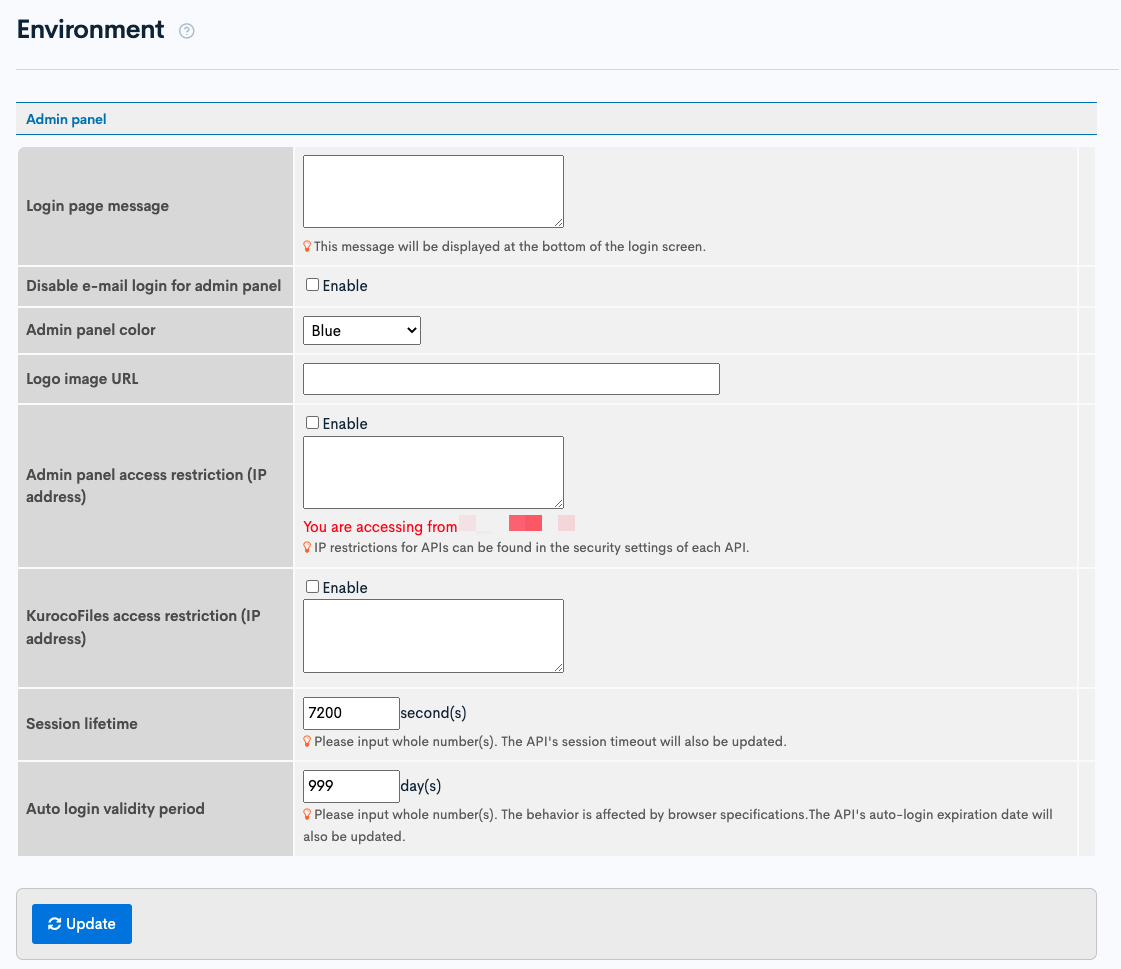
| Item | Description |
|---|---|
| Login Screen Message | Enter the message to be displayed at the bottom of the login screen. |
| Do Not Use Email for Admin Login | Check this if you want to use the login ID instead of email for logging in. |
| Admin panel Color | Select the color for the Admin panel. |
| Logo image URL | Enter the URL of the logo image. |
| Admin panel access restriction (IP address) | Set the IP address restriction for the Admin panel. Check "Enable" to enable and enter the allowed IP addresses. |
| KurocoFiles access restriction (IP address) | Set the IP address restriction for KurocoFiles. Check "Enable" to enable and enter the allowed IP addresses. |
| Session lifetime | Enter the session expiration time in seconds. |
| Auto Login validity period | Enter the auto login expiration time in days. |
| [Update] Button | Click to update the settings. |
Support
If you have any other questions, please contact us or check out Our Discord Community.