Displaying Sorry Page When Server is Heavy or Down
Estimated Time: 5 minutes
Overview
This tutorial explains how to display a sorry page using KurocoEdge when the server is heavy or down.
Prerequisites
This tutorial assumes that you have completed the following tasks described in the Beginner's Guide:
What You'll Learn
You will learn how to configure the display of a sorry page when the server is heavy or down using the following steps:
Create a Rule
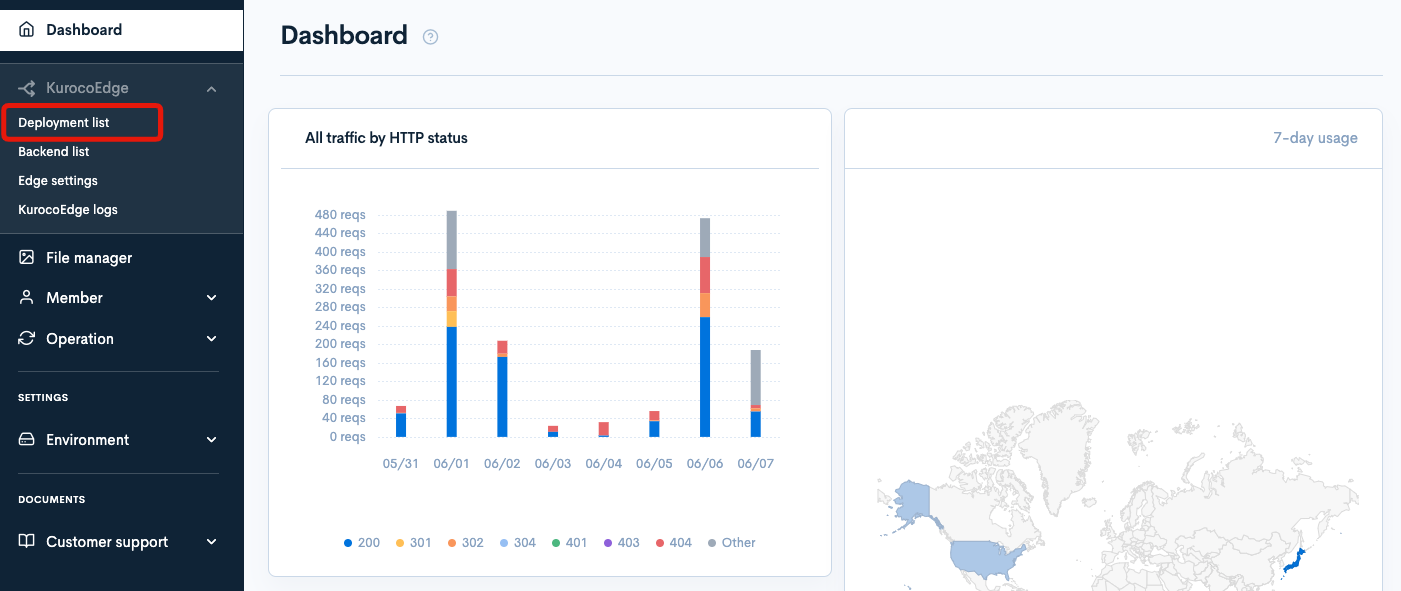
Select the draft deployment.
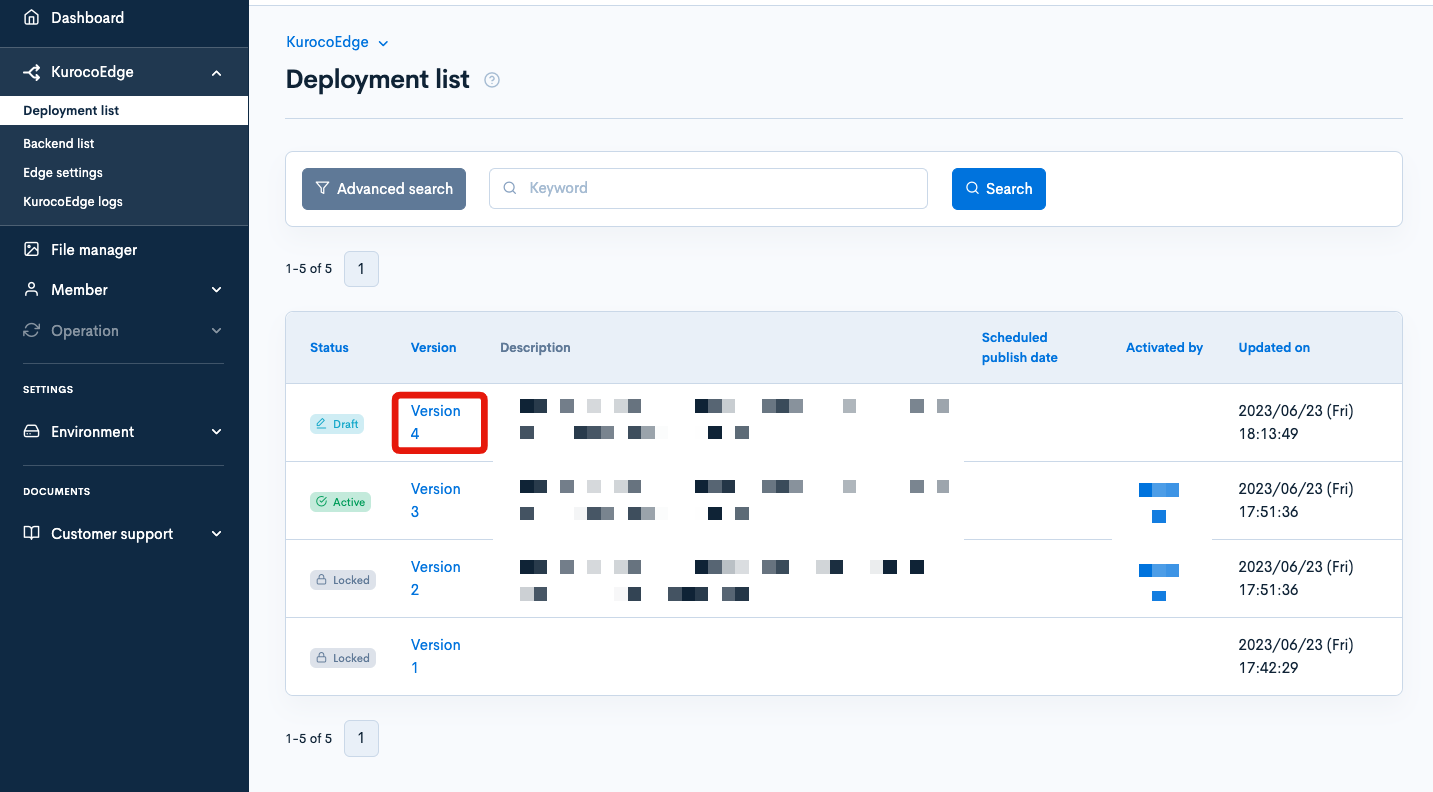
Click on [Clone] in the top right corner.

As the default backend, set your own site's URL which you added in Changing the Display of Your Website.

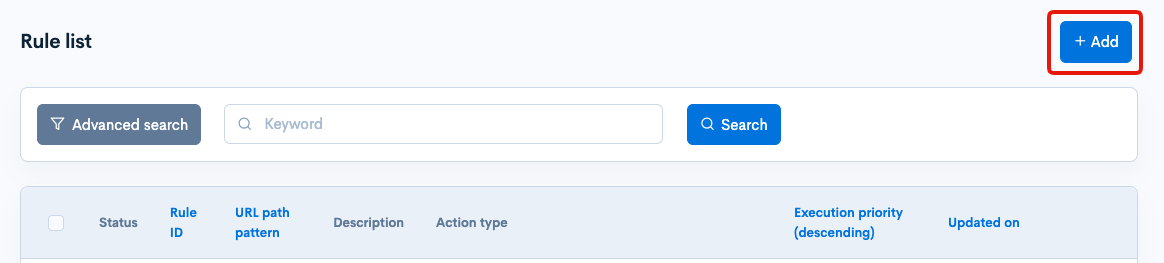
Click on [Add] in the rule list section.
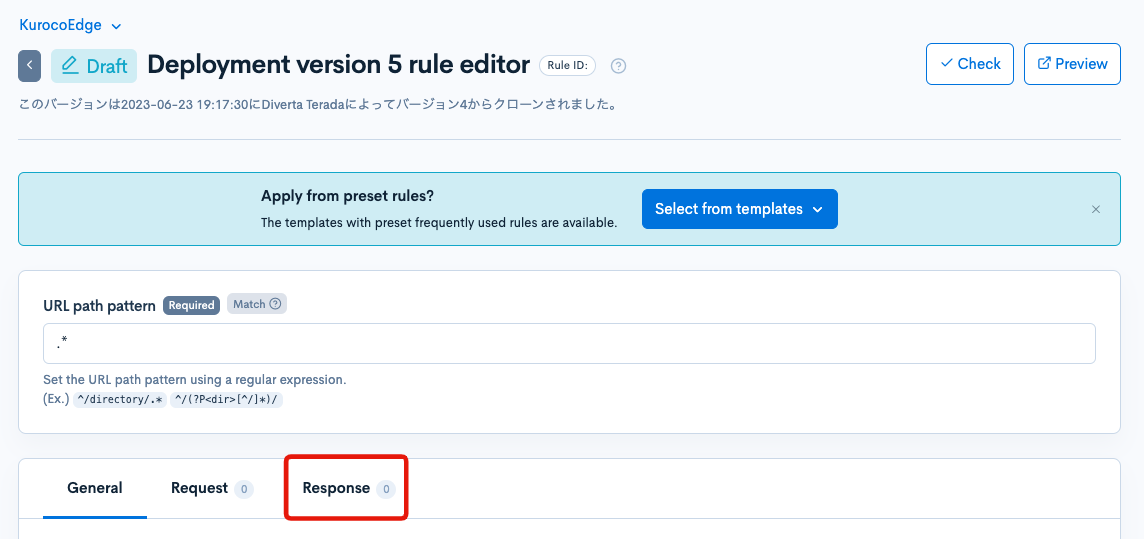
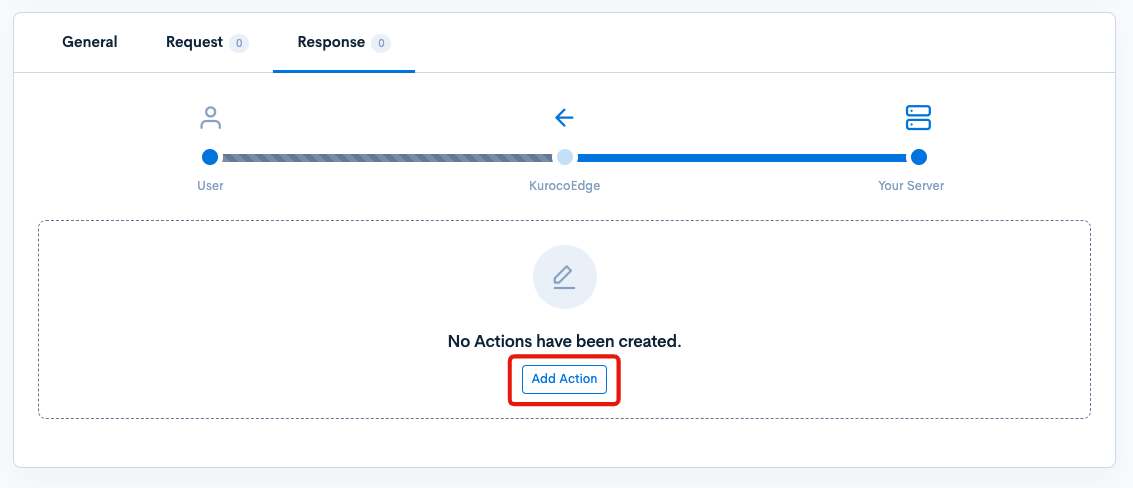
Click on the Response tab.
Click on [Add Action].
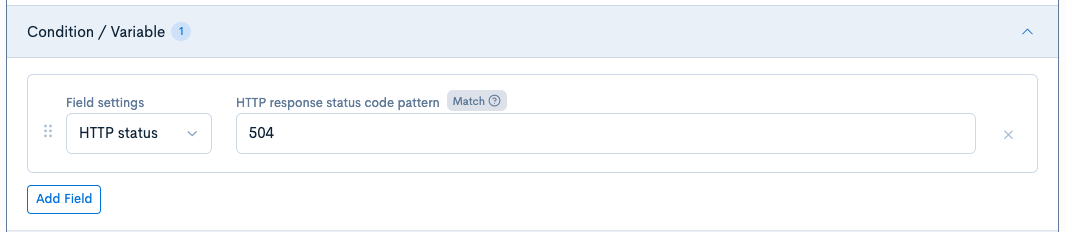
Condition / Variable
Click [Add Item] in "Condition / Variable" and configure as follows:
| Item | Configuration |
|---|---|
| Field settings | HTTP Status |
| HTTP Response Code Pattern | 504 |
The HTTP Status pattern is a Regex. So while 504 will of course work as intended, it is also possible to input 5.. (or 5.* to test for any 500-599 code, to allow creation of a single rule covering many errors at once.
Execution
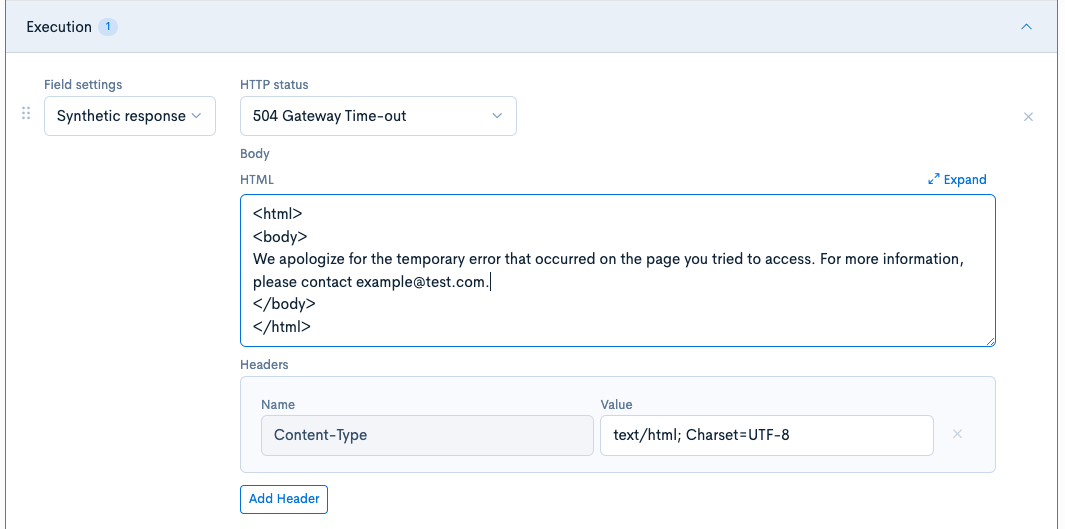
Click [Add Item] in "Execution" and configure as follows:
| Item | Configuration |
|---|---|
| Field settings | Synthetic Response |
| HTTP Status | 503 Service Unavailable |
| Body | Enter the content of the error page in HTML format. In this tutorial, we have changed the default "sample" part to <p>We apologize for the temporary error that occurred on the page you tried to access.</p><p>For more information, please contact example@test.com.</p> |
| Header | No editing required |
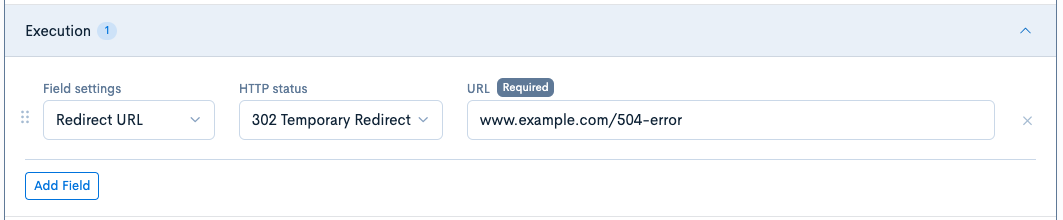
If you already have a prepared error page and want to redirect to it, configure as follows:
If you already have an error page prepared and you want to redirect to it, you can set the item configuration to the Redirect URL and configure it with a 302 Temporary Redirect and the URL of the redirect destination.
Verification of Operation
When the rule is applied, the following display will appear. The status code is also set to 503.
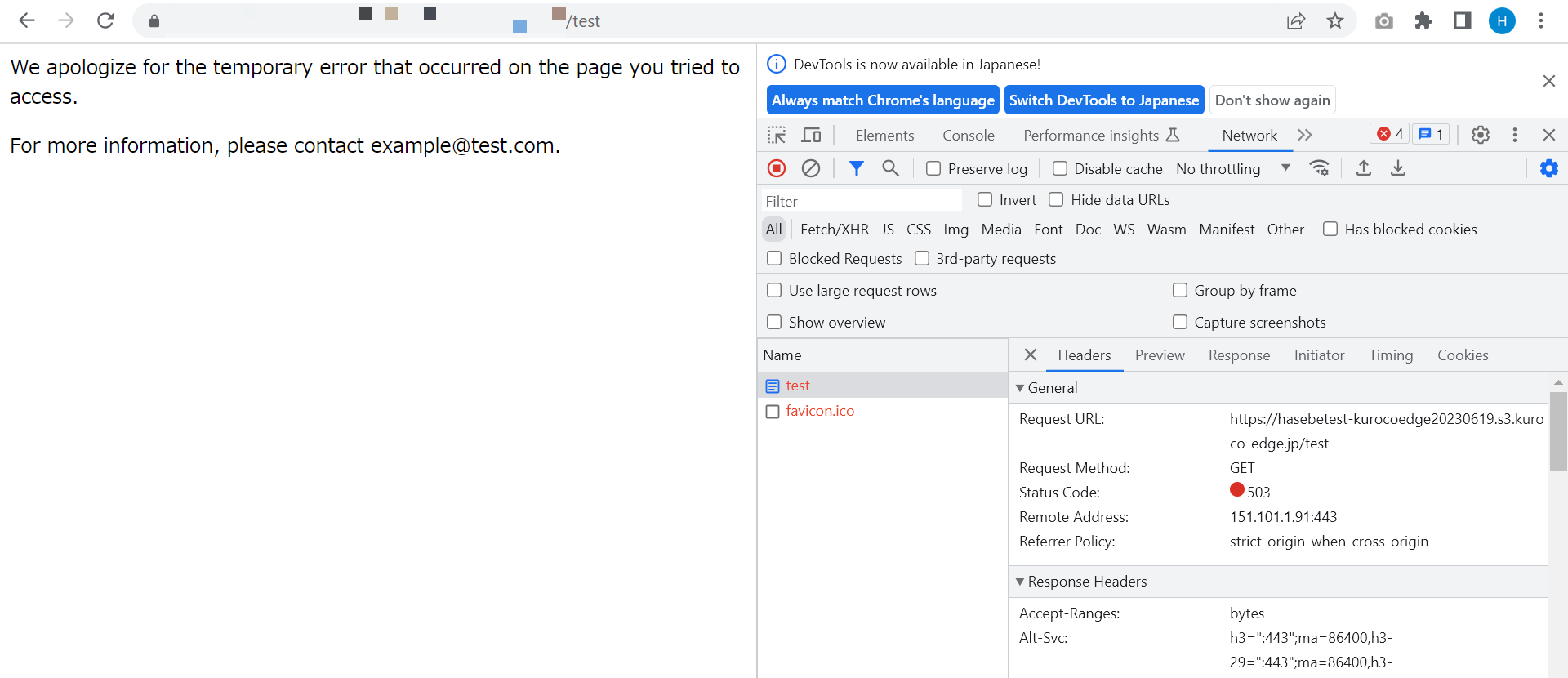
The above screenshot is taken to verify the operation, creating a similar process for 404.
KurocoEdge rules are applied only when the response with the configured condition (HTTP response code 504) is returned from the backend server. If KurocoEdge cannot connect at all due to a problem with the backend server, the error page HTML configured in the Edge Settings will be displayed.
With the above configuration, when a 504 error occurs, the page specified in the "Action" section will be displayed.
Support
If you have any other questions, please contact us or check out Our Discord Community.